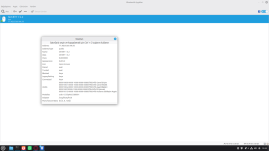

# Mercusys MA530 Bluetooth — Linux Kernel 6.17+ Fix
Sorun: Mercusys MA530 (USB ID:
Neden: Kernel 6.17 ile birlikte
Test edilen sistem:
---
## Kurulum
### 1. Gerekli araçları kur
### 2. Sürücüyü indir
### 3. Kernel 6.17 uyumu için btusb.c'yi düzelt
Kernel 6.17'de
Kontrol et — 0 çıkmalı:
### 4. DKMS ile kur
### 5. Yeniden başlat
---
## Doğrulama
Açıldıktan sonra:
Bluetooth görev çubuğunda görünmeli ve cihaz taraması çalışmalı.
---
## Tek Satır Kurulum (Hepsini Bir Arada)
---
## Notlar ve çıktılar
=== Test Ortamı ===
---
## Kaynaklar
Sorun: Mercusys MA530 (USB ID:
2c4e:0115) Bluetooth adaptörü Linux'ta tanınıyor ancak cihaz taraması çalışmıyor. Aygıtın çalışması için gereken çözüm konudaki gibidir.Neden: Kernel 6.17 ile birlikte
hci_dev->quirks alanı kaldırıldı. Eski btusb sürücüsü bu değişiklikle uyumsuz hale geldi.Test edilen sistem:
- Linux Mint 22.3
- Kernel 6.17.0-23-generic
- Adaptör: Mercusys MA530 (Realtek RTL8761BU çipli)
---
## Kurulum
### 1. Gerekli araçları kur
Bash:
sudo apt install git dkms -y### 2. Sürücüyü indir
Bash:
cd ~
git clone https://github.com/jeremyb31/bluetooth-6.14.git
cd bluetooth-6.14
### 3. Kernel 6.17 uyumu için btusb.c'yi düzelt
Kernel 6.17'de
hdev->quirks doğrudan erişim kaldırıldı, yerine hci_set_quirk() / hci_clear_quirk() / hci_test_quirk() fonksiyonları geldi. Aşağıdaki komut btusb.c'yi otomatik olarak günceller:
Bash:
python3 -c "
import re
with open('btusb.c', 'r') as f:
    content = f.read()
content = re.sub(r'set_bit\((HCI_QUIRK_\w+),\s*&hdev->quirks\)', r'hci_set_quirk(hdev, \1)', content)
content = re.sub(r'clear_bit\((HCI_QUIRK_\w+),\s*&hdev->quirks\)', r'hci_clear_quirk(hdev, \1)', content)
content = re.sub(r'test_bit\((HCI_QUIRK_\w+),\s*&hdev->quirks\)', r'hci_test_quirk(hdev, \1)', content)
with open('btusb.c', 'w') as f:
    f.write(content)
print('Tamamlandi')
"
Kontrol et — 0 çıkmalı:
Bash:
grep -c "hdev->quirks" btusb.c### 4. DKMS ile kur
Bash:
sudo dkms add ~/bluetooth-6.14
sudo dkms install btusb/4.3
### 5. Yeniden başlat
Bash:
sudo reboot---
## Doğrulama
Açıldıktan sonra:
Bash:
hciconfig -a
bluetoothctl show
Bluetooth görev çubuğunda görünmeli ve cihaz taraması çalışmalı.
---
## Tek Satır Kurulum (Hepsini Bir Arada)
Bash:
sudo apt install git dkms -y && \
cd ~ && \
git clone https://github.com/jeremyb31/bluetooth-6.14.git && \
cd bluetooth-6.14 && \
python3 -c "
import re
with open('btusb.c', 'r') as f:
    content = f.read()
content = re.sub(r'set_bit\((HCI_QUIRK_\w+),\s*&hdev->quirks\)', r'hci_set_quirk(hdev, \1)', content)
content = re.sub(r'clear_bit\((HCI_QUIRK_\w+),\s*&hdev->quirks\)', r'hci_clear_quirk(hdev, \1)', content)
content = re.sub(r'test_bit\((HCI_QUIRK_\w+),\s*&hdev->quirks\)', r'hci_test_quirk(hdev, \1)', content)
with open('btusb.c', 'w') as f:
    f.write(content)
" && \
sudo dkms add ~/bluetooth-6.14 && \
sudo dkms install btusb/4.3 && \
echo 'Kurulum tamamlandi, yeniden baslatiniz.'
---
## Notlar ve çıktılar
- Bu yöntem kernel 6.15, 6.16, 6.17 için geçerlidir.
- Kernel güncellemelerinde DKMS modülü otomatik yeniden derlenir.
=== Test Ortamı ===
Bash:
Adapter:
- Mercusys MA530
- USB ID: 2c4e:0115

Sistem:
- Linux Mint 22.3
- Kernel: 6.17.0-23-generic

Bluetooth Servisi:
- bluetooth.service aktif ve çalışıyor


=== hciconfig -a ===

hci0:
  Type: Primary
  Bus: USB

  BD Address : 30:16:9D:9E:23:DD
  HCI Version: 5.1
  LMP Version: 5.1

  Manufacturer: Realtek Semiconductor Corporation (93)

  State:
  - UP
  - RUNNING

  Device Name:
  - turan-Lenovo-C460

  Device Class:
  - Computer / Desktop workstation


=== bluetoothctl show ===

Controller:
- 30:16:9D:9E:23:DD

Status:
- Powered: yes
- Pairable: yes
- Discoverable: no

Roles:
- central
- peripheral

Advertising Features:
- 1M
- 2M
- Coded


=== lsusb ===

Bus 001 Device 003:
ID 2c4e:0115
Mercucys INC - Mercusys MA530 Adapter


=== systemctl status bluetooth ===

Service:
- bluetooth.service

Status:
- active (running)

Main Process:
- bluetoothd## Kaynaklar